


![[HRDC] Comprehensive Coordinate Measuring Machine (CMM) Training with CMM Simulation Software](https://cdn2.npcdn.net/images/news/1200x1200-0-0/828084-184923.jpg)
Coordinate Measuring Machine (CMM) Training with CMM Simulation Software
Build Confidence in CMM Measurement & Inspection Level Up Your CMM MasteryLooking to develop practical skills in Coordinate Measuring Machine (CMM) inspection and measurement?
The MSP Academy Coordinate Measuring Machine (CMM) Training with CMM Simulation Software (Metrologic DCS Silma X4 Software) is designed to provide participants with both theoretical knowledge and practical experience in dimensional measurement and inspection. This comprehensive course helps participants understand CMM fundamentals, create inspection programs, perform measurements, and generate professional inspection reports using the industry-recognized Metrologic DCS software platform.
.png)
Through a simulated CMM environment, participants can safely practice measurement procedures without the risk of probe collisions or machine damage, making it an ideal learning platform for both beginners and industry professionals.
Reserve Your Spot!
Join our seminar and take your CMM mastery and career in quality-related fields to the next level.
9.00AM – 5.30PM
Training Schedule
.png)
Event Details
Date: 27 July 2026 (Monday) to 28 July 2026 (Tuesday)
Duration: 2 days event
Time: 9.00AM to 5.30PM
Venue: MSP Metrology, Johor Branch Demo Room
10, Jln Gemilang 9, Taman Perindustrian Cemerlang, 81800 Ulu Tiram, Johor Darul Ta'zim
Important Notes
HRDC Claimable!
.png)
What You Will Learn
.png)
Upon completing this course, participants will be able to:
- Understand CMM fundamentals and measurement principles
- Navigate and operate Metrologic DCS Silma X4 software confidently
- Create and execute part programs for repetitive inspection tasks
- Perform dimensional measurements and inspection activities
- Generate and customize professional inspection reports
- Develop report templates for different inspection requirements
- Apply basic GD&T functions for part evaluation
- Improve efficiency and consistency in dimensional inspection processes
The training combines classroom learning with hands-on software exercises to ensure participants gain practical skills that can be applied immediately in an industrial environment.
Why Learn Using Metrologic Silma X4?
.png)
Metrologic DCS Silma X4 is a universal metrology software solution used for programming, measurement, analysis, and reporting across various CMM brands and inspection systems.
By learning Metrologic DCS Silma X4, participants gain valuable skills that can be applied across multiple measurement platforms, helping organizations improve inspection efficiency, quality control, and reporting consistency.
Reserve Your Spot!
Join our seminar and take your CMM mastery and career in quality-related fields to the next level.
9.00AM – 5.30PM
Who Should Attend?
This course is suitable for:
- Quality Control (QC) Personnel
- Quality Assurance (QA) Personnel
- Inspection Personnel
- Engineering Personnel
- Production Personnel
- Entry-Level Inspectors
- Technicians involved in dimensional measurement and inspection
- Individuals interested in building a career in dimensional metrology and CMM measurement
No prior experience with Metrologic DCS Silma X4 software is required. Basic knowledge of engineering drawings and measurement concepts will be beneficial.
Training Methodology
To ensure effective learning, the course includes:
Classroom Presentation
Learn key concepts, measurement principles, and software functions.
Hands-On Software Training
Practice measurement workflows using a simulated CMM environment.
Knowledge Review Sessions
Reinforce understanding through guided discussions and practical exercises.
Industries That Benefit from This Training
This program is highly relevant for organizations involved in:
- Electronics Manufacturing
- Medical Device Manufacturing
- CNC Machining & Precision Engineering
- Aerospace Components Manufacturing
- Plastic Injection Moulding
- Automotive Manufacturing
- General Manufacturing & Quality Control Operations
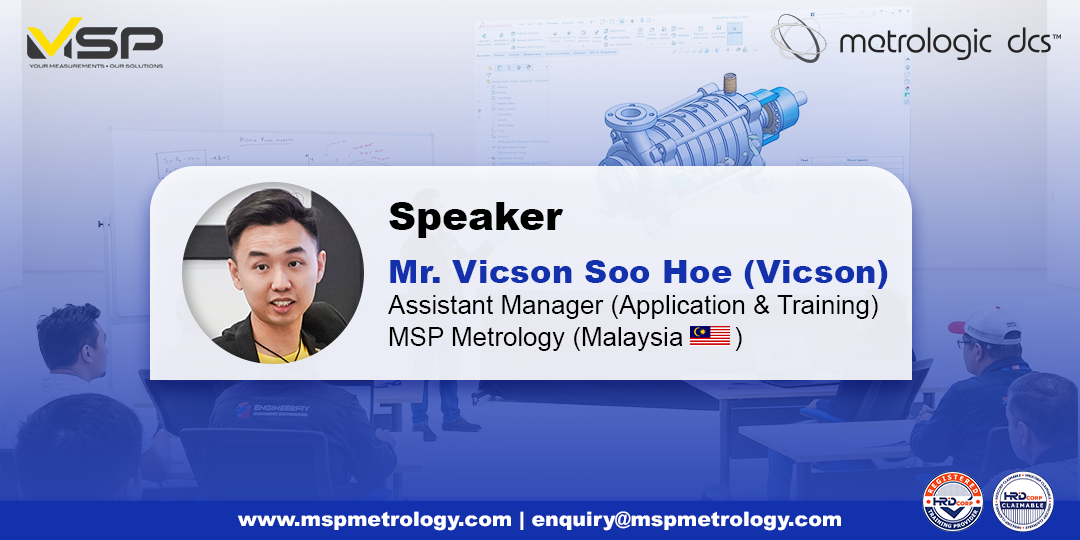
Speaker
Course Highlights / Tentative
Day 1| Time | Session |
|---|---|
| 09:00AM to 09:15AM (15 mins) | Ice Breaking + Course Briefing |
| 09:15AM to 10:00AM (45 mins) | 1.0 Introduction to Coordinate-Measuring Machine (CMM) 1.1 What is CMM? 1.2 Types of CMM System 1.3 CMM Components and Functionality |
| 10:00AM to 10:15AM (15 mins) | Short Break |
| 10:15AM to 12:00PM (105 mins) | 2.0 Introduction to the Software 2.1 User Interface Presentation 2.2 Simulate a CMM based on real CMM 2.3 Database (CAD, Features, Point Cloud, Alignment) 2.4 Extract Features Method (Touching & Scanning) |
| 12:00PM to 13:00PM (60 mins) | Lunch Break |
| 13:00PM to 15:00PM (120 mins) | 2.5 Call Out Measurement Features 2.6 GD&T Introduction 2.7 GD&T Features in Metrologic DCS Silma X4 Hands-on Exercise |
| 15:00PM to 15:15PM (15 mins) | Short Break |
| 15:15PM to 17:30PM (135 mins) | 3.0 Create Part Program 3.1 Alignment Method 3.2 Manual Alignment with Hardware |
| Time | Session |
|---|---|
| 09:00AM to 09:15AM (15 mins) | Day 1 Course Content Review |
| 09:15AM to 10:30AM (75 mins) | 3.3 Inspection Path Planning (IPP) Simulated Measurement 3.4 Pattern Programming Hands-on Practice |
| 10:30AM to 10:45AM (15 mins) | Short Break |
| 10:45AM to 12:00PM (75 mins) | 4.0 Report Modification 4.1 Modify Report Template 4.2 Export Report Template Hands-on Practice |
| 12:00PM to 13:00PM (60 mins) | Lunch Break |
| 14:00PM to 15:30PM (90 mins) | 5.0 Project Assessment 5.1 Assignment Project |
| 15:30PM to 15:45PM (15 mins) | Short Break |
| 15:45PM to 17:30PM (105 mins) | 6.0 Case Study 6.1 Question & Answer |
Reserve Your Spot!
Join our seminar and take your CMM mastery and career in quality-related fields to the next level.
9.00AM – 5.30PM
.png)
Need Help Finding the Right Metrology Solution?
Whether you're evaluating metrology software, CMM systems, or measurement workflows, our specialists are ready to help you identify the most suitable solution for your application and quality requirements.
Speak with Our SpecialistsExplore Metrologic DCS Solutions
Discover advanced metrology software for CMM programming, offline simulation, digital inspection, reporting, GD&T analysis, and quality control automation.
Browse Metrologic DCS SolutionsExplore CMM Solutions
Achieve precise dimensional inspection and reliable quality verification with Coordinate Measuring Machines designed for manufacturing, inspection, and metrology applications.
Browse CMM Solutions MSP TZTEK CMM Solutions


